
Grants Discovery & Writing Platform
User Guide
Welcome to PaperBreak.ai, the specialised discovery and writing platform. This guide will help you navigate PaperBreak.ai to move from a grant idea to a structured, compliant proposal.
1. Getting Started
To use PaperBreak.ai, you must signup and log in at grants.paperbreak.ai.
The platform utilises Google Drive as the centralized repository for your proposal documents, consortium sheets, and supporting files so you need a Google account.
We will offer SharePoint and local file explorer support soon.
Creating a Workspace
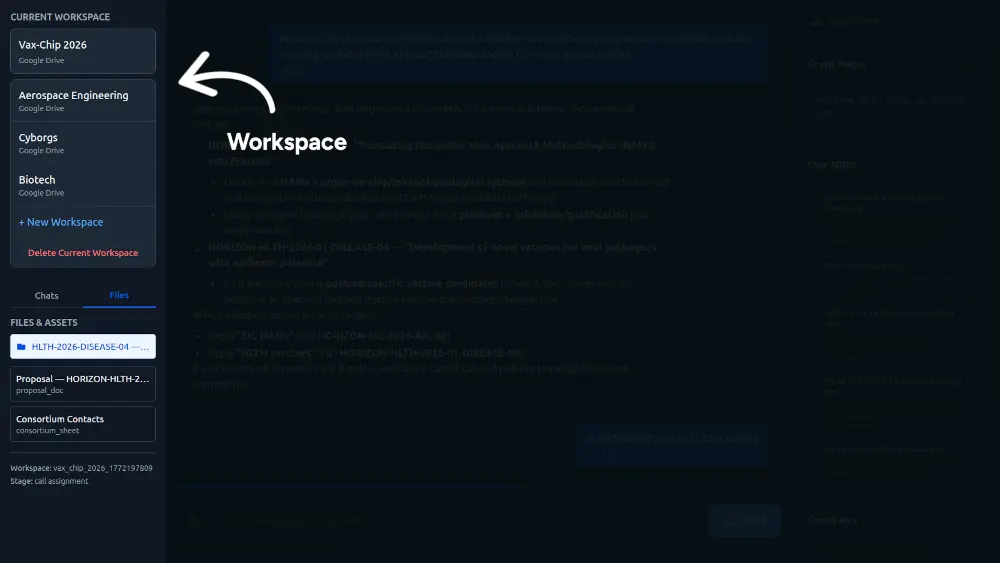
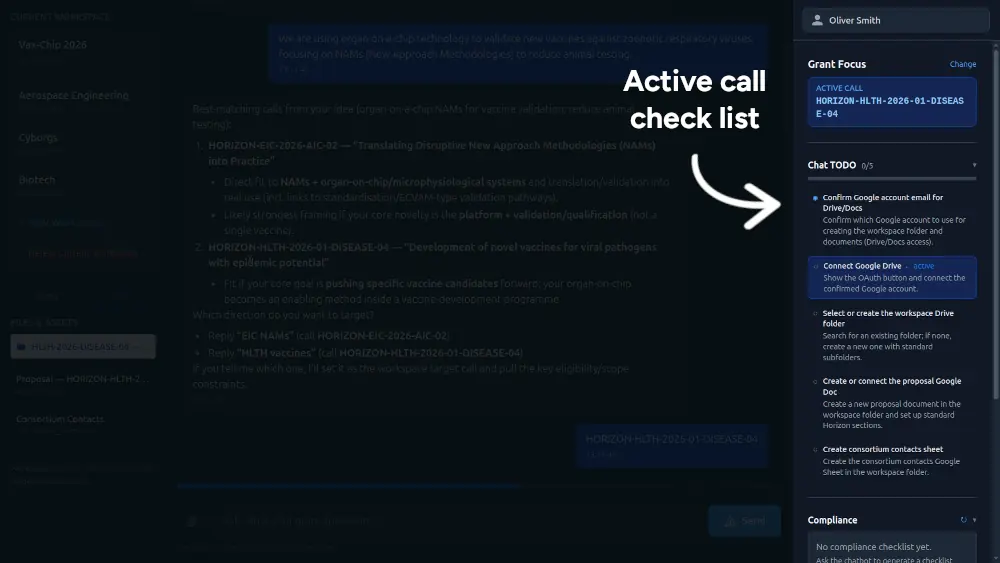
Workspaces are directories to support each application. These contain your chats, files, and the grant focus, a checklist derived from the calls requirements.
- Log in to the platform.
- Create a new workspace by providing a name (e.g., "Vaccine Research 2026").
- Your workspace acts as the contract for your specific application, keeping all interactions and files isolated to that project.
2. Grant Discovery
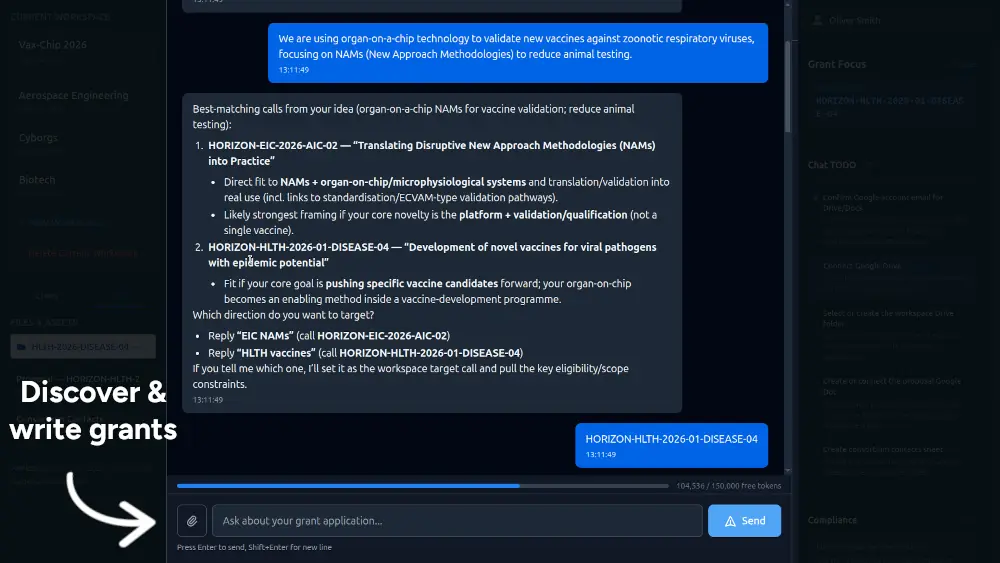
Once your workspace is active, the chatbot will guide you through identifying a funding opportunity.
- Option 1: Search directly if you have a specific keyword or call in mind.
- Option 2: Paste a description of your research idea to receive AI-matched calls.
- Option 3: Connect an existing file from your Drive to let the AI analyze your project scope.
Restriction: Grant discovery is currently limited to EU funding bodies (e.g., Horizon Europe, EIC, RIA, etc). Global funding body access is coming soon.
Please note that if you already have the grant application, you can supply the URL to it or upload the file rather than discovering new opportunities.
3. Infrastructure Setup
After selecting a grant, you must connect your Google Drive:
- Click the "Set up a Drive Folder" button.
- Approve the permissions for PaperBreak.ai to create and manage files.
- The system will automatically generate a structured folder hierarchy:
- 01_Proposal
- 02_Consortium
- 03_Budget_Financials
- 04_Gantt_Timeline
- 05_Presentations
- 06_Supporting_Documents
4. Building Your Application
With your folders created, you can begin the writing process through the chat interface.
Uploading Context
You can provide the AI with technical context (previous papers, lab results, or methodology notes).
- Supported File Types: .pdf, .txt, and .md.
- Note: All other file types must be converted to PDF before uploading. Further file support is currently in development.
Drafting and Compliance
- Section Generation: Request the AI to draft specific sections (e.g., "Excellence" or "Impact"). Documents will be created directly in your
01_Proposalfolder. - Compliance Checklist: Use the sidebar to track mandatory requirements derived from the funding body's official documentation.
5. Usage and Credits
Every new user is provided with 250,000 free credits to explore the platform's features. These credits are consumed during AI discovery and document generation tasks.
Future Updates
We are actively working on expanding the platform's capabilities, including:
- Support for Global funding bodies (NIH, NSF, etc.).
- Integration with Microsoft SharePoint.
- Support for local file explorer operations.
- Expanded file type compatibility.